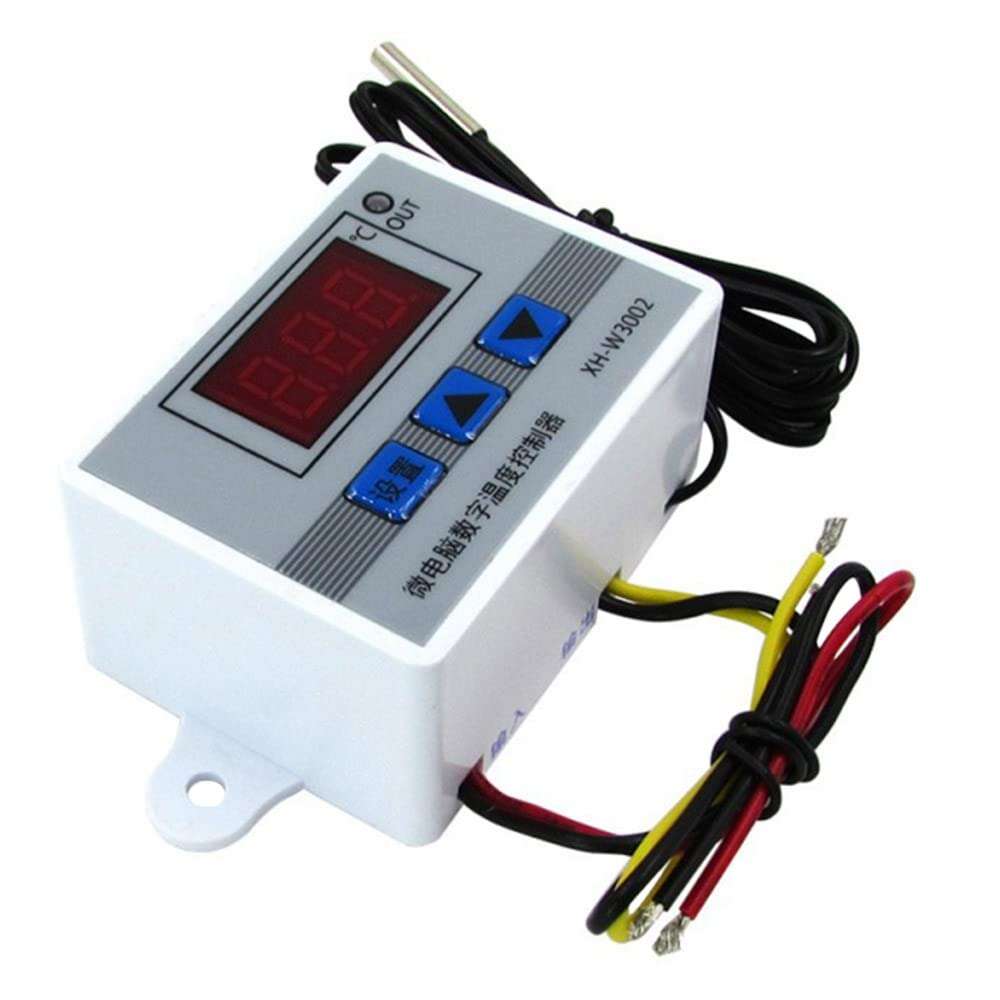
XH-W3002 12VDC 120W Digital Temperature Controller
EGP 150
See other suppliers →Description
This product adopts a single-chip control system and high-precision temperature-control probes, with outstanding temperature-control performance and accuracy. 1.8mm thick ABS material can provides a long use time. This product can be widely used in incubation fields, air conditioning systems, temperature control protections and other fields. Features: The high-brightness digital tube clearly displays, whether it is used during the day or at night, it can be read clearly The sensor can be replaced at will by using the 2P terminal. When you need to use other probes, you can replace it at will ABS material shell, exquisite and beautiful, high mechanical strength, good electrical performance, anti-aging -50~110℃ ultra-wide temperature control range, can be used in various temperature control fields, 0.1℃ temperature control accuracy, to meet your control needs Wiring input and output design, more convenient to use in various industrial control equipment, multi-strand wire 300V/20A excess configuration, safe and reliable Specifications: Material: ABS Model: 12 V/120W Power supplys: 12V Temperature measuring ranges: -50~110℃ Temperature control ranges: -50~110℃ Temperature control accuracy: ±0.1℃ Temperature measuring accuracy: ±0.2℃ Output: direct output Output Capacity: 10A(Max) Measuring Input: NTC10K Water-resistant Probe L=1 Meter Mounting hole pitch: 73mm (aperture 4mm) Item size: 60 x 45 x 31mm Instructions: >When connect to power supply, press the UP and DOWN buttons at the same time more than 3 seconds, display show 888 >If display LLL. means the sensor is fault, need to check the sensor. >If displat HHH, means the temperature is above the range >Display always shows the real-time temperature >Start temperature < Termination temperature will be Heating mode >Start temperature > Termination temperature will be Cooling mode P0: Set Start temperature Press the setting button, enter the internal menu, the default display for the P0, and then click the settings button, use up and down buttons to set the starting temperature. P1: Set stop temperature Press the setting button, enter the internal menu, the default display for the P0, use up and down button to change to P1, and then press the settings button, use up and down buttons to set the starting temperature P2: Set temperature calibration Press the setting button, enter the internal menu, use up and down buttons to change to P2, press the set button again, use the up and down button to do the calibration. If the detetion temperature is above the actual tempeature of 0.5°C, need to set the calibration temperature is 0.5°C If the detetion temperature is below the actual tempeature of 1°C, need to set the calibration temperature 1°C P3: Set delay start Press the setting button, enter the internal menu, use up and down buttons to change to P3, press the set button again, use the up or down button to set delay time( Minutes ). To control a water heater, heated water to 65 degrees to stop, when the temperature dropped to 50 degrees to start heating again The first step: Determine the working mode for the heating mode, start the temperature The second step: Long press “up” button, start temperature digital flash, set the starting temperature of 50 degrees The third step: long press the “down” button to terminate the temperature digital flashing, set termination temperature of 65 degrees. When setting the heating mode, if the set temperature value is set to the opposite, the output indicator will not light, the load will not work. If the above situation occurs after setting, you can check whether the set temperature value has the opposite.
From the supplier's page.
makhzan doesn't sell — every offer opens the supplier's own site.