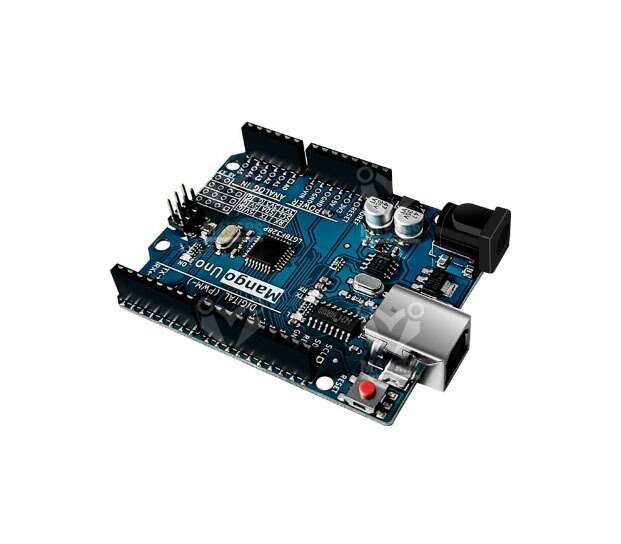
Mango UNO R3 Substitute for Arduino UNO R3
EGP 200
See other suppliers →Description
The board is very popular among students and hobbyists due to its flexibility, ability to connect different robotic parts including sensors, actuators, etc., and a great platform to learn about robots and how they work. The board can be used in various projects from semi-autonomous to autonomous robotics applications. UNO’s features include a USB interface that doesn’t require drivers to communicate with operating systems like Windows or Mac OS, stability, a long list of resources and a large community of members ready to improve the ecosystem of the board. Arduino Uno Specifications Microcontroller: LGT8F328P Operating Voltage: 5V Input Voltage (recommended): 7-12V Input Voltage (limits): 6-20V Digital I/O Pins: 14 (of which 6 provide PWM output) Analog Input Pins: 6 DC Current per I/O Pin: 40 mA DC Current for 3.3V Pin: 50 mA Flash Memory : 32 KB SRAM: 2 KB EEPROM: 1 KB Clock Speed: 16 MHz Technical Support : GitHub installation Board To Arduino IDE Board Manger : 1. Start the Arduino-IDE. In File->Preferences , Settings tab, enter https://raw.githubusercontent.com/nulllaborg/arduino_nulllab/master/package_nulllab_boards_index.json 2. Open Tools->Board:…->Boards Manager 3. Find arduino_nulllaba by typing ‘nulllab’ into the search line 4. Click on the list entry 5. Click on Install . 6.Now you should find a new entry nulllab avr compatible boards in the list at Tools->Board 7. Choose nulllab boards from the list Then DONE now you can program it with any arduino code you want. https://makerselectronics.com/wp-content/uploads/2022/07/Mango-UNO-Arduino-IDE-Install.webm LGT8FX8P databook v1.0.5 English
From the supplier's page.
makhzan doesn't sell — every offer opens the supplier's own site.