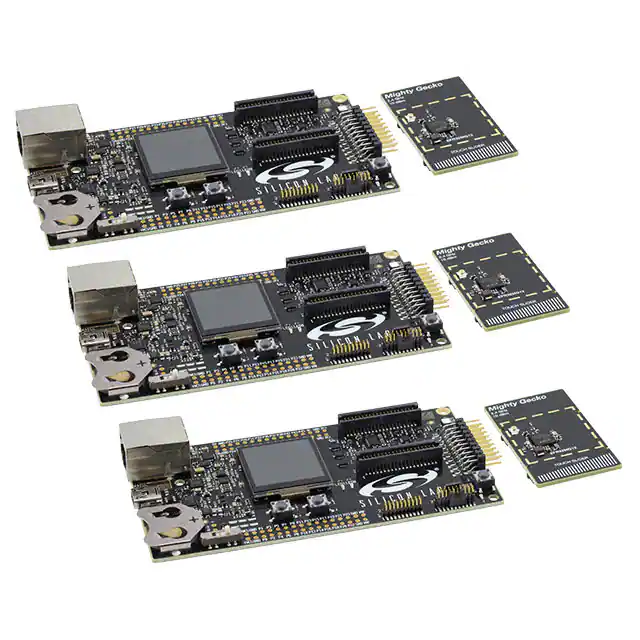
EFR32MG12 2.4GHz Mesh Networking Kit
EGP 19,500
See other suppliers →Description
Manufacturer SILICON LABS Manufacturer Part No SLWSTK6000B The EFR32MG Wireless Starter Kit includes Zigbee and Thread software stacks, sample code and integrated debug adapter. The kit also includes support for Bluetooth low energy (LE). Multiple radio boards enable developers to create a mesh network and evaluate EFR32MG SoCs and Modules. With the supporting Simplicity Studio suite of tools, developers can take advantage of graphical wireless application development; mesh networking debug and packet trace; and visual energy profiling and optimization. Overview Kit Contents 3 x Wireless starter kit mainboard 3 x EFR32MG12 2.4 GHz 19 dBm radio board 3 x EFR32MG12 2.4 GHz 10 dBm radio board AA Battery Board (supports running +19 from battery) Cables EFR32MG Getting Started Card Kit Features Included devices: EFR32MG12P432F1024GL125 Modular design supports different radio boards Expansion header allows easy expansion Integrated debug Packet Trace support on both Ethernet and USB connections Coin cell support Supports AEM (Advanced Energy Monitor) for battery measurement and Energy Profiler Simplicity Studio Features Energy Profiler Network Analyzer AppBuilder Getting Starded Step 1: Download and Install Simplicity Studio Version 5 Get up and running quickly with precompiled demos, application notes, and examples. Use advanced tools including energy profiling to optimize your MCU application. Choose your software package below. Windows Installer Mac Installer Linux Installer *Click to Install Windows (32-bit) Step 2: Plug in Your Kit and Use Simplicity Studio to Install the EmberZNet SDK After plugging in your kit, launch Simplicity Studio and Open Package Manager in the left upper corner (green downward arrow under the menu bar). Select the desired stacks and download them. Visit the package manager regularly for updates. Step 3: Read the Quick Start Guide Download the Quick Start Guide and follow the instructions to lean how to get started. Read Now Step 4: (Optional) Download Additional Protocol SDKs Bluetooth Low Energy Software RAIL (Radio Abstraction Interface Layer) Connect Stack Proprietary Wireless Software Technical Documents SLWSTK6000B Datasheet (PDF) Software & Tools Simplicity Studio Development Platform Get up and running quickly with precompiled demos, application notes and examples. Use advanced tools including energy profiling and network analysis to optimize your MCU and wireless systems. Explore Studio
From the supplier's page.
makhzan doesn't sell — every offer opens the supplier's own site.